


Berkeley College Commencement 2026
Let’s get ready for your BIG day at the Prudential Center or Virtual ceremony on Wednesday, May 13, 2026, at the Prudential Center.
Please RSVP by Monday, May 4, 2026, to confirm your attendance at the 2026 Berkeley College Commencement ceremony.
(link opens in a new tab)Graduate To Dos
- Order Your Cap & Gown by:
- Tuesday, April 7, 2026
@ 11:59 PM (EST)
- Tuesday, April 7, 2026
- Create a Graduate Slide by:
- Monday, April 13, 2026
@ 11:55 PM (EST)
- Monday, April 13, 2026
- How to Say Your Name? by:
- Monday, April 13, 2026
@ 11:55 PM (EST)
- Monday, April 13, 2026
- Commencement RVSP by:
- Monday, May 4, 2026
@ 11:59 PM (EST)
- Monday, May 4, 2026
- Select & Attend You’ve Got Questions We’ve Got Answers: Graduate Information Sessions
- Thursday, April 9, 2026
@ 5:30 PM – 6:30 PM (EST)
- Thursday, April 9, 2026
- Schedule a graduate picture
- Book your appointment at least 48 hours prior to your campus graduate salute date
- Please see the Schedule Your Graduation Photo section for more information!
- Book your appointment at least 48 hours prior to your campus graduate salute date
- Complete Career Services Employment Verification and Assistance Request
- Please see the Career Services and Assistance section for more information!
- Review the FAQs
Commencement RSVP
Please RSVP by Monday, May 4, 2026
@ 11:59 PM (EST) to confirm your attendance.
If you do not have access to your Berkeley College login information, contact the Berkeley College Helpdesk at 973-653-2180.
Graduate Information Sessions
You Got Questions, We’ve Got Answers. After registering, you will receive a confirmation email containing information about joining the meeting.
Thursday, April 9, 2026
@ 5:30 – 6:30 PM (EST)
Order Your Cap and Gown

To order your cap and gown on the Jostens® website, follow these steps. Please note that the deadline for home shipment of your regalia is Tuesday, April 7, 2026, at 11:59 PM (EST). If you do not place your order by this deadline, you will need to pick up your regalia on the day of the ceremony.
- Go to Jostens.com
- Click on "Find My School/Group Store" on the top navigation menu or click on the "Shop Your School's Store" button in the middle of the page.
- In the Enter School/Group Name field type in "Berkeley College" and hit submit. This will populate results - from that list, select "Berkeley College - NJ, NY, and Online."
- Click on the "SHOP" button under "Graduation Products" in the middle of the page.
- Click on the "SHOP" button under "Graduation Caps & Gowns" in the middle of the page.
- Enter your Berkeley College Student ID number in the field and click "SEARCH". If you don't remember your Student ID number, you can find it by logging into Engage. Berkeley College.edu (your student ID number will appear at the top of the Engage landing page under your name). If you need to reset your Berkeley College password, go to MYID.berkeleycollege.edu, login with your Berkeley College username and follow the prompts.
- An "ID Confirmation" window will open. Please check to confirm that your name, the student ID that you entered, and the degree listed are correct. Remember the degree listed as this is the regalia you will be ordering in the next steps. Click "Confirm" if everything is correct.
- Incorrect ID? Please contact Commencement@BerkeleyCollege.edu for help.
- On the next pop-up, select which Home Ship Option applies to you:
- If you completed your classes in April 2026 and you will be shipping your cap and gown to an address outside of the United States, select "Student Homeship orders shipping international 2026."
- If you completed your classes in August or December 2025 and you will be shipping your cap and gown to an address outside of the United States, select "Student Homeship orders shipping international 2025."
- If you completed your classes in August or December 2025 and you will be shipping your cap and gown to an address within the United States, select "Student Homeship order shipping in USA 2025."
- If you completed your classes in April 2026 and you will be shipping your cap and gown to an address within the United States, select "Student Homeship order shipping in USA 2026."
- On the page that opens, click on the regalia package you would like to order (you should select the degree that was listed as on the ID confirmation pop-up):
- Associates Cap, Gown, Stole, Tassel w/Yeardate Charm
- Bachelors Cap, Gown, Hood, Tassel w/Yeardate Charm
- Certificate Cap, Gown, Tassel w/Yeardate Charm
- Masters Cap, Gown, Hood, Tassel w/Yeardate Charm
- Enter your height and your weight to ensure you receive the correctly sized gown and click "Add to Cart."
- Enter your first name and your last name in the required fields and click "Checkout." Please note that only one cap and gown package is $0.00. You will need to pay for any other items you add to your cart and order.
- On this page you can either follow the prompts to create a Jostens Account and log in to check out from that account OR you can click on the "Continue As A Guest" button on the right side of the screen.
- Either option will require that you enter your contact information and shipping information (if it is different from your contact information). Once you've done this, click on "Checkout" and follow the prompts to complete your order.
Lastly, please remember to save your order number, your receipt, and any confirmation emails you receive from Jostens in the event you need to follow up with Jostens customer service for any reason.
You will not be billed for your cap, gown, tassel, hood/stole order (the items should be priced at $0.00), but you will be billed for any additional items you choose to order from Jostens.com, including customized stoles. Also, please note that regalia cannot be shipped to P.O. Boxes; therefore, you will need to use a street address.
Create Your Graduate Slide

Example of a Graduate Slide
Each graduate will have the opportunity to be recognized with an official graduate slide, customizable with a short video, personal photo, and personal message. The graduate slide can be viewed, downloaded, and shared on social media by you or anyone viewing the Berkeley College virtual Commencement ceremony.
This is a great keepsake for graduates, their classmates, friends, and family! Please note that personalizing your graduate slide with a short video, personal photo, and/or personal message is optional.
The deadline to submit your short video, personal photo, and personal message is Monday, April 13, 2026 at 11:55 PM (EST).
To add a short video, personal photo, and message or quote to your official graduate slide, use the personalized link that you will receive from noreply@mail.stageclip.com through your Berkeley College or personal email account. Check all the email accounts that you have provided to Berkeley College.
Guidelines for Uploading Videos and Photos:
- Short Video: You can upload a 10-second video message from your phone or computer. The maximum file size is 100 MB.
- Due to copyright restrictions, you cannot add background music to your video.
- Personal Photo: You will be prompted to upload your photo by using the "Upload Photo" button.
- File types are limited to .jpg or .png. The maximum file size is 20 MB.
- Graduation-themed photos are encouraged!
- Photos should not contain nudity, offensive content, or gestures, alcohol bottles, or other controlled substances.
- Personal Message: Please draft a personal message that you would like to appear on your slide during the ceremony, with a maximum size of 150 characters.
- Please remember that this is a formal ceremony.
- Please do not use slang or derogatory terms.
Check all the email accounts that you provided to Berkeley College. Also, check your clutter, spam, and/or junk folders if you do not see the email in your inbox.
- If you cannot locate the original email from noreply@mail.stageclip.com, please go to StageClip Email Link Request page, click on the “Upload your Content” button, and enter your Berkeley College email address to request a new link.
How to Say Your Name: Tell Us How to Say Your Name
The deadline for How to Say Your Name is Monday, April 13, 2026, at 11:55 PM (EST).
To record your name through StageClip to ensure your name is pronounced correctly, use the personalized link you will receive through your Berkeley College or personal email accounts.
The email will come from noreply@mail.stageclip.com, and the Subject line will read: “### name registration”. Please make sure to click on the link within the email in order to record your name.
Check all the email accounts that you provided to Berkeley College. Also, check your clutter, spam, and/or junk folders if you do not see the email in your inbox.
- If you cannot locate the original email from noreply@mail.stageclip.com, please go to StageClip Email Link Request page, click on the “Upload your Content” button, and enter your Berkeley College email address to request a new link.
Schedule Your Graduation Photo
Berkeley College has partnered with The Grad Team Photography. Graduates will have the opportunity to have their graduate pictures taken in their cap and gown. Please remember to bring your cap and gown if you would like to wear them in pictures.
Additionally, if you have received a Veterans Honor Cord, Berkeley College Honors Program Cord, NSLS Cord, and/or Honor Society Stole, please remember to bring it to wear in your graduate picture.
Graduates can sign up for an appointment at any campus. It is important that graduates only sign up for one timeslot.
- Newark – Grad Salute
Friday, April 10, 2026
@ 3:00 PM – 7:00 PM (EST)
Register for a Grad Salute timeslot at the Newark Campus - Woodland Park – Grad Salute
Wednesday, April 15, 2026
@ 12:00 PM – 7:00 PM (EST)
Register for a Grad Salute timeslot at the Woodland Park Campus - Woodbridge – Grad Salute
Wednesday, April 29, 2026
@ 3:00 PM – 7:00 PM (EST)
Register for a Grad Salute timeslot at the Woodbridge Campus - New York City – Grad Salute
Friday, May 1, 2026
@ 12:00 PM – 7:00 PM (EST)
Register for a Grad Salute timeslot at the New York City Campus
Graduates will be emailed information on how to register for a timeslot at one of the above Graduate Salutes.
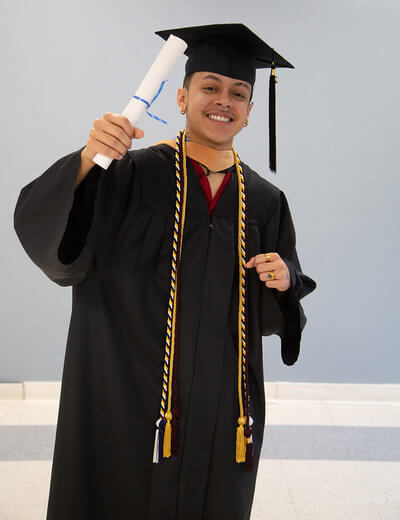
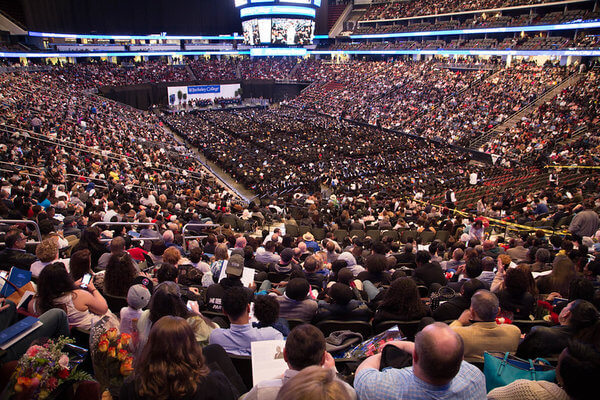
How many guests can I bring, and do you need tickets?
There are no restrictions on the number of guests you can bring.
No, there are no tickets required.
For more information, visit: prucenter.com/safety.
Career Services Employment Verification and Assistance Request
As part of your graduation checklist, please update your current employment status with our Career Services team. This information helps us support your career journey and maintain accurate alumni employment records. If you are seeking job opportunities or need career assistance, you may also request personalized support through the form below.
(link opens in a new tab)Contact Us
Have questions about Commencement? We’re here to help.

For all Commencement-related inquiries, please reach out to:
Our team is available to assist you with event details, preparation questions, and any other Commencement support you may need.
Students’ eligibility to participate in the Commencement Ceremony is subject to satisfactory program completion. Dates and times are subject to change.